

I’ve dabbled in programming for years, mostly writing simple code for microcontrollers. As a child of the BASIC era, I never learned C or Assembly language, so my projects have always been fairly rudimentary. I’ve done a bit of Python programming recently, but I’m still very much a beginner.
For a long time, I’ve wanted to create software for one of my retro computers, but I never really knew what to build. Then I picked up an Atari ST and found myself needing a simple desktop clock application.
Sure, there are already clock programs available, but none of them were quite what I wanted. Most offered far more features than I needed and consumed valuable memory on my stock 512K ST. That’s when I decided to try my hand at a little “vibe coding.”
I fired up Claude, my AI coding assistant of choice, and asked:
“Can you write code for an Atari ST running TOS 1.04?”
Of course, Claude said yes, I entered my first prompt, and we were off to the races.

The first design decision was determining what type of application to create. Should it be a .CPX control panel module or a .PRG program application? Claude actually suggested making it a .ACC desk accessory, which I thought was a great idea. With that decision made, Claude produced a working version of my Simple Clock accessory within minutes.

I used the Steem SSE Atari emulator to quickly load, test, and refine the look and feel of the application. Then again, let’s be honest, a desktop clock isn’t exactly a complicated application to iterate on.

Once installed, you can select Simple Clock from the Desk menu and adjust a few settings. The display can cycle between:
- No clock display
- Hours and minutes
- Hours, minutes, and seconds
You can also enable an hourly beep. Because of the way desk accessories work, the beep option must be re-enabled after each reboot. When active, a small dot appears to the right of the time display as an indicator.
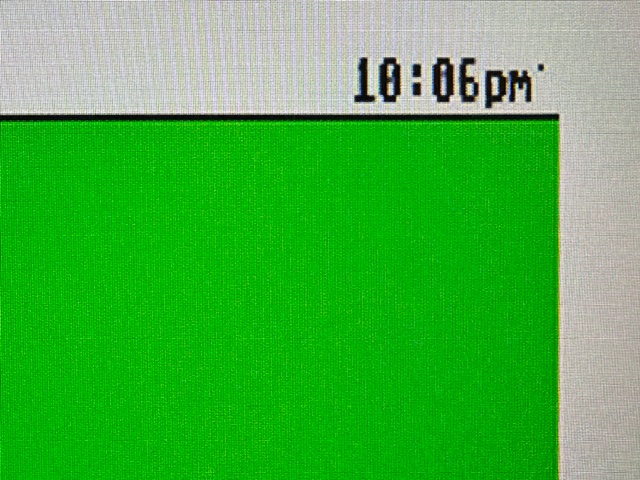
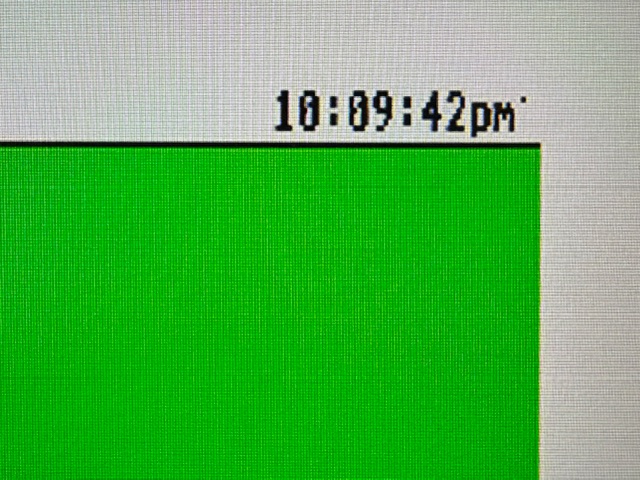
If you’re using a real-time clock device, such as an ACSI2STM equipped with a battery-backed RTC, the clock will maintain accurate time across reboots and power cycles. In GemDrive mode, no additional utilities are required to set or retrieve the time. UltraSatan users may have a different experience, as those devices are designed to be more strictly ACSI compliant and may still require separate time-setting utilities.
I’ve tested the accessory in emulation, on real hardware, and across different screen resolutions. So far, it’s worked flawlessly. For the small amount of effort involved, I’m very happy with the results.

Regardless of where you stand on AI-generated code, tools like Claude can be an incredible resource for retro computing enthusiasts who want to create software for these classic platforms. For hobbyists like me, who may have ideas but lack deep knowledge of C, Assembly, or Atari development, AI can help bridge the gap between concept and working software.
If you’ve ever wanted to create a utility or application for your favorite retro machine, I encourage you to give it a try.
You can download my Simple Clock program file from my github page.
https://github.com/tobrew/Atari-ST-Simple-Clock-Accessory
Here are some links to get you started on your next side-quest.
My Github / SideCartridge w/RTC / Steem SSE emulator / Claude / ACSI2STM
Happy Tinkering,
Rick